Lenotch: making the MacBook notch useful
A SwiftUI app that turns the MacBook notch into a Now Playing live activity, a file shelf and a quick look at your calendar.
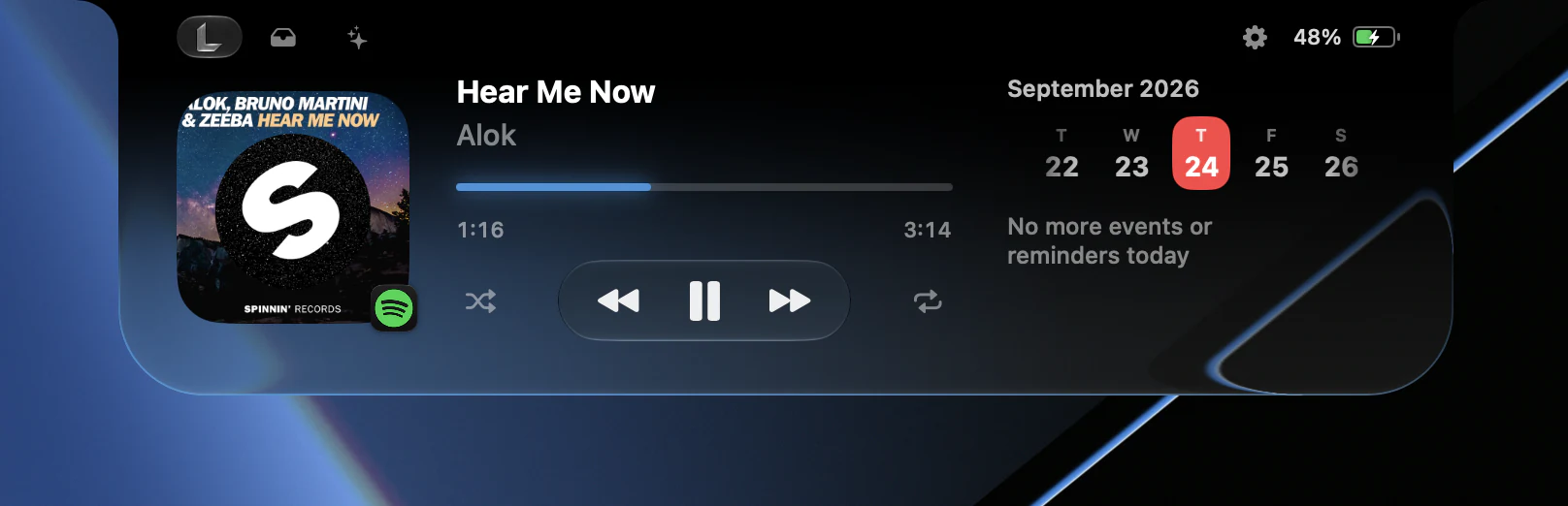
The notch on a MacBook is dead space. It sits in the middle of the menu bar and does nothing. Lenotch is a small macOS app that gives it a job: when music plays, the notch widens to show what’s on, and when you hover or click it, it opens into a small panel with your player, your files and your calendar.
What it does
When nothing is happening, Lenotch is a black shape that blends into the physical notch. You don’t notice it’s there.
When music plays, the notch widens: album art on the left, animated bars on the right. The bars follow the actual sound through a Core Audio tap, so they move with the music.
When you open it, you get three tabs, and you swipe left or right with two fingers to switch between them:
- Now Playing: artwork, title and artist, a progress bar you can drag to seek, play/pause, skip, shuffle, repeat and a favorite button for Apple Music. Next to it is your calendar, with a scrollable day strip.
- Shelf: drop files on the notch to keep them for later, drag them back out, or AirDrop them. Dragging a file onto the closed notch opens the shelf straight away.
- AI usage: how much of your Claude Code, Codex or Cursor limits you’ve used. It’s off by default, and you can add your own providers with a config file.
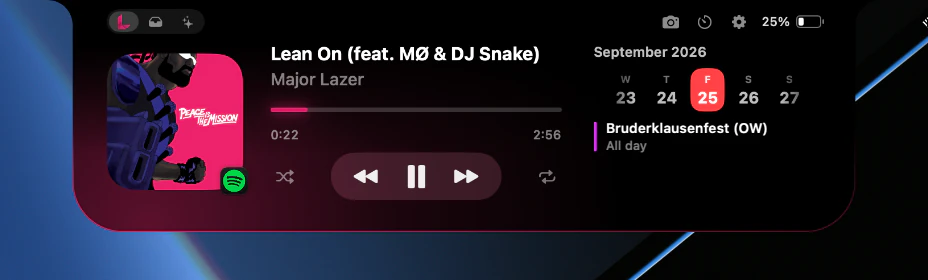
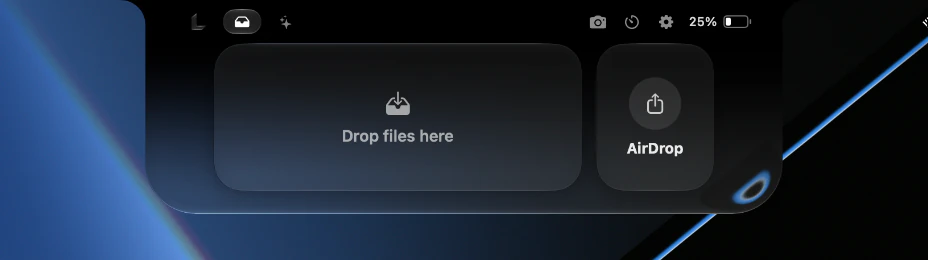
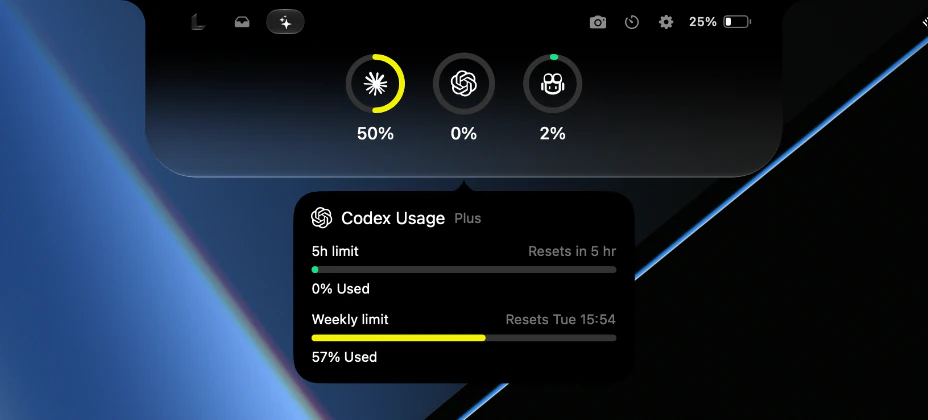
The open notch also shows the battery and the time, and a camera button drops a small mirror down beside the notch, which is handy before a call.
More in the notch
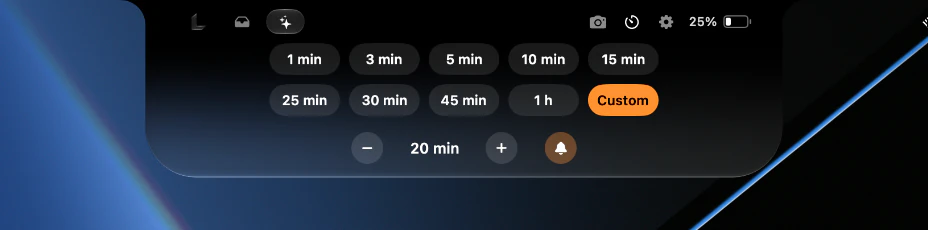
A few smaller things live in the notch too. There’s a timer with presets from one minute to an hour, or a custom length:
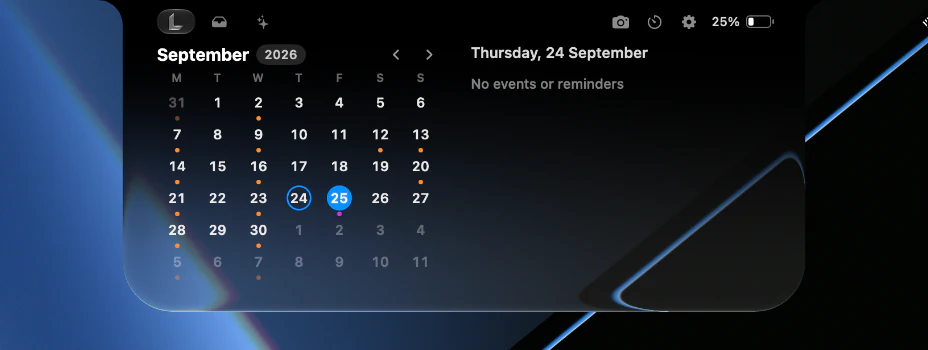
The calendar opens into a full month view, with dots on the days that have events:
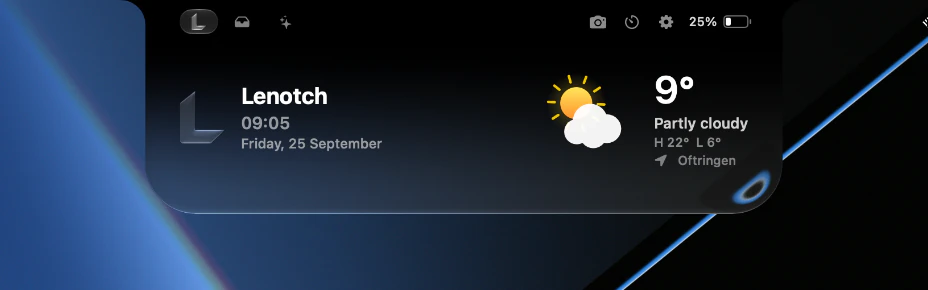
And the home view can show the time, the date and the current weather:
Your choice of source and look
Lenotch can follow whatever is playing right now, or stick to one app: Spotify, Apple Music or YouTube Music. For the look, you pick solid black, or black fading into Liquid Glass on macOS 26. The equalizer and progress bar can take on the main colour of the album art.
On a display without a notch, Lenotch draws a virtual one at the top centre of the screen.
Permissions stay opt-in
A notch app touches a lot of private things: what you’re listening to, your calendar, your camera. So nothing in Lenotch asks for a permission until you click Allow, either during the first-launch setup or later in Settings. Features you haven’t allowed simply stay hidden, or fall back to something that doesn’t need the permission.
How it’s built
Lenotch is written in Swift and SwiftUI, and runs as a menu bar app. A few parts were harder than they look:
- Now Playing: since macOS 15.4, third-party apps can no longer read the system’s Now Playing information directly. Lenotch uses the open-source mediaremote-adapter for that. Spotify and Apple Music are read over AppleScript, so the notch keeps following them even when another app takes over Now Playing.
- The visualizer listens to the system audio through a Core Audio tap (macOS 14.2 and later) and runs a spectrum analysis to drive the bars.
- Updates: Lenotch uses Sparkle with a signed update feed, so new versions arrive from inside the app.
- Packaging: each release is a universal DMG for Apple Silicon and Intel Macs. It opens a simple drag-to-Applications window, and the whole image stays under 4 MB.
Download
Lenotch needs macOS 14 or later. The link always gets the latest version, and the app updates itself after that:
The app isn’t notarized yet, so macOS blocks the first launch. Right-click the app and choose Open, or run this once in Terminal:
xattr -dr com.apple.quarantine /Applications/Lenotch.appAfter that, choose Check for Updates… from the menu bar icon to stay up to date.